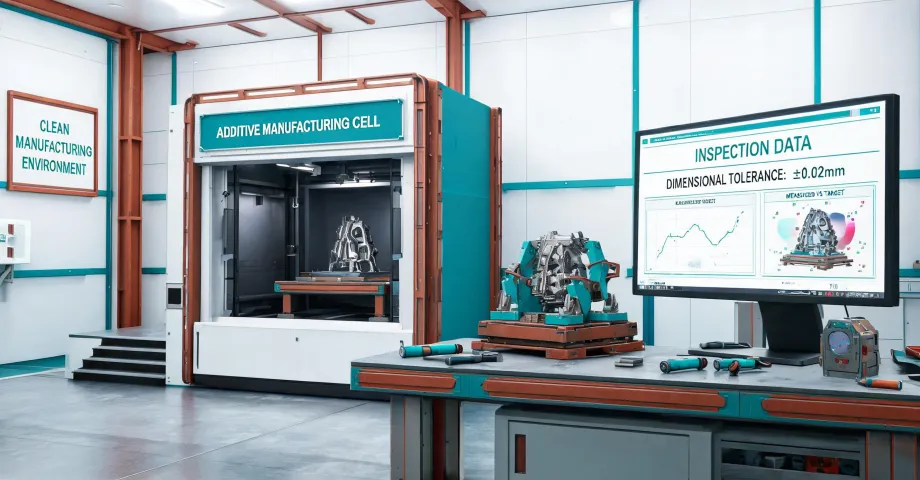
If you’ve been reading Markforged Onyx Pro 3D Printer Gen 2 reviews, you already know the marketing line: industrial 3D printing, carbon fiber reinforced nylon, and a printer that sits on a workbench. That’s all true. But the question I get as a quality/compliance manager is not is the printer good. It’s should I buy one for my shop.
Here’s the short answer: it depends on what kind of work is flowing through your cell. There is no universal answer. If someone gives you one without asking about your part mix, they’re selling something.
For context: I review roughly 200 finished parts a month at a contract manufacturing company. In 2025, I’ve rejected 6% of first deliveries—mostly tolerance issues, a few surface finish problems. So when I think about additive, I’m not thinking about demos. I’m thinking about the last part that came back defective and what caused it.
There’s No Universal Answer
Before you look at machine specs, place your shop in one of three buckets. The right purchase is different for each bucket. A printer is a tool, not a badge of progress.
Scenario 1: Low-Stress Parts and Short-Run Tooling
Markforged additive manufacturing starts to make sense when the part is not carrying cutting loads. Think fixture bodies, soft jaws, push blocks, assembly guides, and one-off brackets. I’m not saying you should print a pallet clamp and trust it under 500 ft-lbs. I’m saying that for parts that locate rather than clamp heavy forces, a printed part can be good enough.
People assume 3D printing is only for prototypes. The counterintuitive truth: the more often your design changes, the more attractive additive gets. A machined fixture needs a new CAM path and setup. A printed fixture just needs a new file. That’s where the time savings show up.
According to Markforged’s technical data sheet (markforged.com, accessed April 2025), Onyx is a nylon/carbon composite designed for functional tooling. It’s not steel. But it doesn’t have to be steel if the part is a one-off cradle for a lightweight sensor.
In Q1 2024, a customer asked us to quote a machined locator for a polymer housing. Machining lead time: 3 weeks, $1,400. Instead, we printed an Onyx locator in two days and spent $90 in material. I checked it on the CMM—flatness was within 0.1 mm. It held up for 12 months. That part taught me to look at the drawing, not the material name.
Scenario 2: Cutting Loads and Tight Tolerances (VMC Work)
Now the other side. If your fixture guides a cutting tool, if it absorbs coolant, chips, and vibration, or if it has an internal feature that needs to hold a bearing at 20 microns, a composite printer is probably not your first choice.
Consider a tooling plate that supports an under reamer drilling operation. The drill pushes down, the cutter grabs, and if the fixture flexes, the hole drifts. On a vertical machining center, you feel that immediately.
And since we’re here, let’s clear up the search phrase you may have typed: what VMC stands for Canelo. I’ve been there. Autocorrect plus a missing space. VMC stands for vertical machining center. Canelo is the boxer, not a machine tool.
We tried 3D-printed drill jigs in 2023. We assumed a printed bushing carrier would behave like the machined version. Didn’t verify it under load. The first batch passed. On batch two, the bushing pocket deformed under a hot chip load. It scraped a $400 blank and added a two-day delay. Normal tolerance for that hole pattern was ±0.05 mm, and the printed carrier couldn’t hold it under load. We saved $250 on the printed version, then lost $800 in material and downtime. Penny-wise, pound-foolish.
To be fair, a metal Markforged system could handle more of that cutting-load case than a composite printer can. But that’s a much bigger investment. At some point, a VMC with a steel fixture is the right answer.
Scenario 3: Repairs and Metal Recovery
Third scenario: repair and metal-recovery work. Most people skip this one. If your bottleneck is not making new parts but fixing old parts that have been damaged, budget a 1000W handheld laser welder before you budget for a Markforged.
That feels backwards, because everyone talks about additive. But my experience in Q2 2024: the laser welder paid for itself in four jobs repairing cracked steel fixtures. The 3D printer didn’t make a dollar in the same period because we had no low-stress part demand.
People think advanced machines make a shop advanced. Actually, a shop becomes advanced by using the right tool for the failure mode. The causation runs the other way. If your daily pain is a welded lug that keeps cracking, a 1000W handheld laser welder solves it faster than any printer.
How to Tell Which Scenario You’re In
Here is the filter I use with our engineering team. Answer these four questions:
- Does the part touch a cutting edge or resist torque? If yes, lean traditional.
- Does the drawing call out a certified material? If yes, a composite printer needs a metal process and more cost.
- Will the design change within this quarter? If yes, additive.
- If the part fails, will it cause injury or thousands of dollars in damage? If yes, verify printed material data, not brochure data.
If you answered yes to question 3 and no to 1, 2, and 4, a Markforged Onyx Pro Gen 2 or similar is worth a real pilot. If you answered yes to 1 or 2, spend the money on VMC fixtures or on metal additive only if the business case is strong. If your biggest problem is repairs, rent or buy a laser welder first.
The Bottom Line
I still kick myself for not setting this filter earlier. We bought into the hype in 2023 and used a printed fixture in the wrong place. It failed. That failure taught me more than the machine specs did.
So read all the Markforged Onyx Pro 3D Printer Gen 2 reviews you want. The printer is genuinely useful. Then look at your part list, your tolerances, your failure risks, and your repair orders. The right answer will show up.