In March 2024, a client called at 8:40 in the morning. A production line was scheduled to restart the next morning, and a locating bracket on a fixture had cracked overnight. Their normal replacement source quoted eleven business days. Air freight from overseas might have made it, but at a cost well above the entire repair job. I remember looking at the clock and thinking: this is where printer marketing dies.
I coordinate emergency production for a small manufacturing services company that adopted Markforged hardware a few years ago. I have been in this role for four years and have triaged maybe 200 rush orders. 180, perhaps—I would need to check the log. Enough to notice a pattern.
People ask: Is the Markforged X7 3D printer worth it? Are Markforged Metal X 3D printer reviews reliable? Which printer is “best”? My brother once asked what are the best 3D printers for kids. That is a different category, but the mix-up matters more than it seems. The first question feels like it should be about a machine.
After you have watched a line go down, the real question is no longer which box prints fastest. The real question is: can you prove this part will work until the next planned maintenance window?
The Surface Problem: Fast Prints Do Not Mean Trustworthy Parts
Spec sheets are written for the printer’s best day. Reviewers compare build volume, layer height, speed, and price. Those numbers describe a machine during a perfectly sliced calibration print. The emergency parts that fail in service fail for different reasons. The orientation was wrong. Loads ran against the fiber direction. A hidden cavity trapped powder. The file in the print queuing system was not the same as the file the engineer approved.
The Markforged X7 3D printer is a serious tool, but it is still one stage in a longer process. The same is true for metal. A Markforged Metal X 3D printer review that talks only about print speed misses the washout, sintering, shrinkage, and density checks. That is where trust is won.
The deeper problem—the one most first-time buyers miss—is that additive manufacturing is a workflow, not an appliance. The wow moment of a part appearing inside the printer is real, but it can fool you. What happens before the first layer and after the last layer determines whether the part is a prototype or a production component.
The Process Behind the Printer
In our shop, that workflow starts in Siemens NX additive manufacturing before anything is sent to Eiger. I am not an NX programmer, so I cannot walk you through every menu. From a production coordinator’s seat, I can tell you that a 15-minute simulation review prevents more missed deadlines than any printer speed upgrade.
NX additive manufacturing lets the engineer check orientation and distortion risk before material is wasted. It is not a magic filter. It moves the argument from “it printed” to “it will stay within tolerance.” That shift is the entire ballgame.
A Rushed Part Is a Brand Statement
I still kick myself for a 2023 mistake. We lost a $15,000 contract because one emergency prototype looked “early stage.” The engineer did not say the part would fail. He said it looked like a prototype. We saved $180 by printing on a standard desktop unit instead of the Markforged X7. The dimensions were correct. The client’s perception was not.
This might sound unfair. In B2B manufacturing, perception is part of quality. A customer who is already under pressure will read a rough surface as a sign that the part is temporary. If they see the part and think “band-aid,” they will replace you at the first opportunity. If they see clean edges, uniform surface, and repeatable quality, they remember that you made the problem go away.
I don’t have hard data on industry-wide first-article failure rates. What I can say anecdotally from our own log is that missed deadlines are rarely caused by a slow printer. Last quarter, we handled 47 rush orders and hit 95% on-time delivery. The two misses were one stale CAD file and one shipping handoff error. They came from process gaps, not machine speed.
Printing Did Not Replace Cutting
A realistic emergency playbook also knows when not to print. If the part is flat sheet steel, a fibre laser metal cutting machine is still the right answer. We use it for guards, mounting plates, and quick brackets. It is cheaper, faster, and produces a known material condition. Additive manufacturing did not eliminate traditional processing; it removed the parts that used to require waiting for a casting or a custom tool.
What Actually Works on a Short Clock
We did not buy a bigger print farm. We made a small process repeatable:
- Review every CAD file in Siemens NX additive manufacturing before exporting to Eiger. Ten minutes of simulation saves a day of failures.
- For structural composite tooling, use the Markforged X7 3D printer with a saved and inspected material profile. The printer is reliable; the profile is what makes results repeatable.
- For metal parts, use the Metal X workflow with its full sintering schedule. Read a Markforged Metal X 3D printer review as a starting point, but audit your own washing, debinding, and sintering steps afterward.
- When speed is the priority, cut flat parts on a fibre laser metal cutting machine instead of printing them.
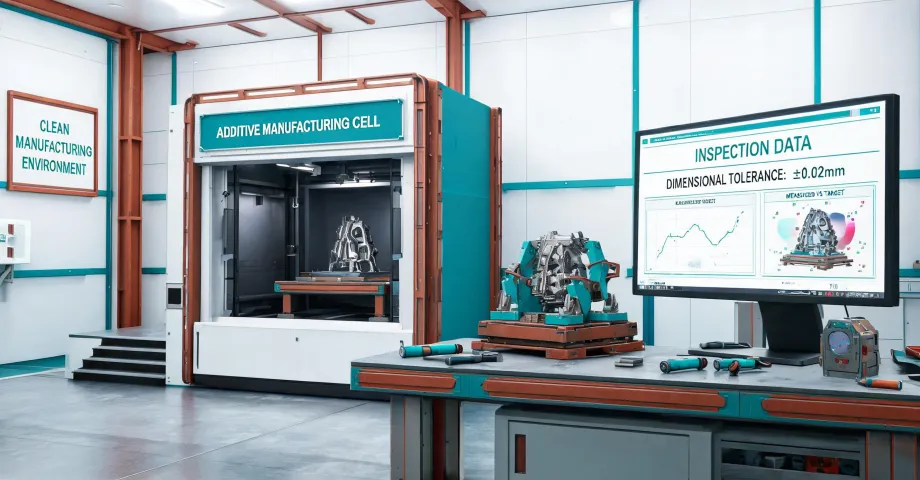
That March bracket? We validated the model in NX, printed it on an X7 in Onyx with continuous carbon fiber, and had it installed the next morning. The line stayed down only for the actual repair. The client did not ask whether it was 3D printed. They asked how many we could make.
If someone asks what are the best 3D printers for kids, give them a toy-grade answer. If a plant manager asks how you will deliver a part by tomorrow, give them something more useful than “best.” Give them a process that makes a rushed part as boring and predictable as a catalog purchase. That is what quality feels like on a deadline.