-
Why we brought in a Markforged Onyx (and what it actually replaced)
-
Metal 3D printing: powerful, but not the same as machining
-
What a 3-axis CNC machining center still does best
-
7-axis CNC lathe: the specialist you don't think about until you need it
-
How does fiber laser cutting machine work? (And where it fits)
-
The quality principle: parts become the brand
-
When not to use Markforged (the honest boundary conditions)
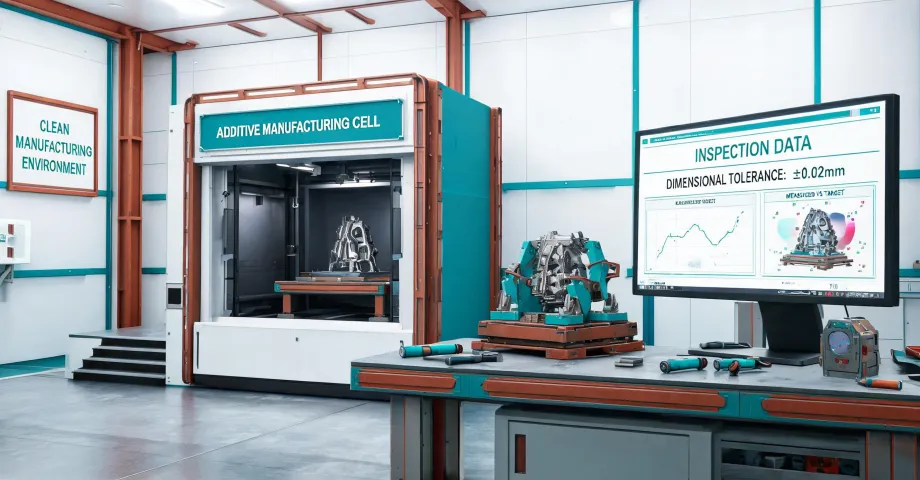
Markforged printers are not here to replace your 3-axis CNC machining center. They're here to fill the gap between "we need it in 3 weeks" and "we need it in 3 days." After 3 years of managing roughly $450K in annual machining and fabrication spend for a mid-sized manufacturer, that's the conclusion I keep coming back to. But here's the catch: any part you hand a customer becomes a statement about your company. If it looks cheap, you look cheap. So the real question isn't "3D printing or CNC?"—it's which process can deliver quality that protects your reputation at the speed the project demands.
Quick background so you know where I'm coming from. I'm an office administrator who took over purchasing for a 60-person shop in 2022. I handle vendor relationships across CNC milling, turning, laser cutting, finishing, and—since early 2023—additive manufacturing. That's 8 active vendors, 60–80 orders a year, and a lot of "can you just make this work?" conversations between engineering and finance.
Why we brought in a Markforged Onyx (and what it actually replaced)
In late 2022, engineering asked me to quote a run of functional prototypes for an aerospace customer we were courting. They needed 12 parts, complex geometry, delivered in 10 days. Our usual CNC vendor quoted 21 days. Even the fast-turn shop said 14. We'd have missed the customer's internal review window entirely.
I went back and forth on this for two weeks. The markforged onyx 3d printer seemed like the obvious answer on paper—but on paper, a lot of things seem obvious. My hesitation was simple: 3D printing, in my head, was still the "plastic toy" technology from 2015. Cheap filament, stringy layers, parts that snap if you look at them wrong. That's a legacy perception, and it's worth correcting: today's industrial composite printers are a different category entirely. The Onyx material—a chopped carbon fiber reinforced nylon—is genuinely stiff. We use it for drill guides, inspection fixtures, covers, and low-load brackets that would've previously been aluminum or UHMW. It's not a toy.
The part that sold me was the first batch of locator pins we printed. The customer's engineer held one up and asked, "Did you guys get a new CNC?" That moment stuck with me. Because the finish was indistinguishable from machined nylon at arm's length—and that perception directly shaped how the customer viewed our entire operation. Nobody asked if the parts were strong enough. They assumed we had capabilities we didn't even advertise.
Did we save money? Not really. The material cost per part was comparable to a simple CNC run. What we saved was time—21 days down to 5. And in a sales cycle, that's often worth more than the dollar savings. The math isn't about unit cost; it's about whether the part exists before the customer forgets they asked.
Metal 3D printing: powerful, but not the same as machining
After the Onyx win, I got asked about a markforged metal 3d printer. The pitch is attractive: complex internal channels, conformal cooling, geometries that a 3-axis machining center can't touch. And that's true. But let me tell you what nobody mentions in the demo: the tolerances, the post-processing, and the surface finish reality.
Metal printed parts—especially the bound-metal extrusion process Markforged uses (print, debind, sinter)—come off the furnace with a matte, grainy surface. Dimensional accuracy is typically ±0.1–0.3 mm depending on feature size. That's fine for a bracket. It's not fine for a bearing bore. Our 7-axis cnc lathe holds ±0.01 mm all day, with a surface finish that doesn't need explaining to a QC inspector. Why does this matter? Because when you're comparing processes, you're not comparing the machine specs—you're comparing the entire workflow from file to functional part.
The real strength of metal 3D printing is geometric freedom, not precision. We had a subcontractor print a set of impeller blades with internal cooling channels for a test rig. A 3-axis mill simply couldn't cut those internal passages. Five-axis could, but the setup cost was $3,200. The printed version cost $900 and worked. But I would never spec a printed part for a threaded hole that needs to survive repeated assembly cycles. The threads are soft. Machining still wins there. To be fair, that's not a failure of the technology—it's a failure of expecting one tool to do everything.
What a 3-axis CNC machining center still does best
If I had to choose one machine for a job shop, I'd still pick a solid 3-axis machining center. Not because it's exciting—because it's dependable. Aluminum, steel, even plastics, held to ISO 2768-m tolerances without hand-waving. We send parts to our machining vendor and they show up square, flat, and consistent. Every time.
3D printing is like working with a very eager intern: great range, surprising skill, occasionally overconfident. CNC is the senior machinist who doesn't promise much but hits every deadline. The two aren't in competition. They cover different parts of the tolerance-versus-complexity map. For plate-like components with drilled holes and milled pockets, a 3-axis center is faster and cheaper than printing, every single time. For a one-off ergonomic handle with lattice infill? Printing wins. Period.
7-axis CNC lathe: the specialist you don't think about until you need it
Earlier I mentioned our 7-axis cnc lathe vendor. Seven axes sounds like overkill until you see a part with turned features on both ends, cross-drilled holes at four angles, a milled hex, and a thread—all done in one setup. That capability eliminates geometrically induced errors. For rotational parts—shafts, housings, fittings—nothing beats it. But the setup cost is real. If you only need three parts, you're paying for programming time, tooling, and the machinist's lunch while he dials in the offsets.
This is where the causation reversal happens in purchasing decisions. People think advanced equipment is expensive because the hardware is sophisticated. The reality: the equipment is expensive because it organizes time. A 7-axis lathe collapses multiple operations into one, which means faster delivery and fewer chances for error. You're not paying for the axis count. You're paying for certainty.
How does fiber laser cutting machine work? (And where it fits)
Let's answer the keyword question directly: how does fiber laser cutting machine work? A fiber laser generates a beam around 1 micron wavelength—invisible to the naked eye—and focuses it into a spot under 0.1 mm wide. That focused spot carries enough power density to melt or vaporize metal almost instantly. Assist gas—usually nitrogen for stainless or oxygen for mild steel—blows the molten material out of the kerf, leaving a clean edge. It's a fantastic process for flat sheets and plates, with cutting speeds measured in meters per minute.
So where does laser cutting fit in the Markforged conversation? It doesn't compete with 3D printing. It competes with waterjet and plasma. We use laser cutting for chassis plates, mounting brackets, panels, and anything that starts as a flat sheet. The advantages: speed, edge quality, and no heat-affected zone to speak of on thin materials. The limits: it only cuts in two dimensions. Give it a 3D shape and it's the wrong tool entirely. Same as 3D printing—knowing what it can't do is half the purchasing decision.
The quality principle: parts become the brand
At this point in my career, I'm convinced the output quality is the brand. I've told this story before, but it bears repeating: a $50 difference per part once lost us a client. We quoted a machined component with a cheaper vendor who used a slightly lower-grade surface finish. The customer didn't reject the part functionally. They rejected it visually. "It doesn't look like the sample you showed us." We ate $400 in replacement costs. The lesson: people judge your capability based on what they hold in their hands, not your website.
When you're choosing between a markforged printed part, a CNC-machined part, or a laser-cut part, you're making a statement about your standards. The printed prototype is fine for internal testing. The customer-facing sample? I'd spend the extra on machining or a premium finishing pass. This isn't about being wasteful—it's about matching the production method to the perception you need to create. A rough prototype tells the customer you're experimenting. A finished-looking part, even if it's printed, tells them you're in control.
When not to use Markforged (the honest boundary conditions)
I'll end with the exceptions, because every buyer should know where the tool stops working. Do not spec a Markforged part when:
- Volume exceeds ~1,000 units. Injection molding or CNC becomes more economical, period. Printing is for small batches and prototypes.
- The part needs certified material properties. Aerospace structural brackets require traceability and process validation that additive—especially bound-metal deposition—doesn't naturally provide. The standards exist (ISO/ASTM 52900 defines the terminology), but the certification trail is longer than conventional machining.
- You're replacing a legacy steel component without redesigning it. Printing a steel shape with a sparse infill and calling it done is how parts fail. You have to design for the process.
- The customer explicitly specified a wrought material. If the drawing says 6061-T6, no printer on earth changes that. Don't fight it. Quote the machining.
Also worth noting: the printer itself isn't the only cost. Consumables, nozzles, calibration time, and the inevitable learning curve all add up. I'd guess we spent maybe $6,000 in "hidden costs" in the first year of owning an Onyx. Still worth it for the lead time savings, but don't walk in thinking you're buying inkjet cartridges.
Bottom line, if you're a buyer or a small shop owner reading this: Markforged makes excellent tools. Their Onyx line is a legitimate production accessory, and their metal process fills a real niche. But neither replaces a 3-axis machining center for conventional work, a 7-axis lathe for rotational precision, or a fiber laser for flat geometry. Choose based on the part, the timeline, and the impression you want to leave. Because in the end, the part you deliver is the company you are.